How to Add Source Tracking to Contact Forms
Capturing the exact page URL—including UTM parameters and campaign tags—when a lead submits a contact form is essential for tracking source attribution. Since native contact forms do not include a built-in hidden field type, you can easily capture this data by adding a standard text field, auto-populating it with JavaScript, and hiding it visually with CSS.
Step 1: Add the Tracking Field
Open your contact form settings and go to Content → Form Items.
Click + Add field.
Set the Field label to
Submission URL.Set the Field type to Short text.
Leave the field unrequired.
Step 2: Add the Auto-Fill and Hide Script
Navigate to Site Settings → Head HTML in your site dashboard (or place this in a Footer HTML widget).
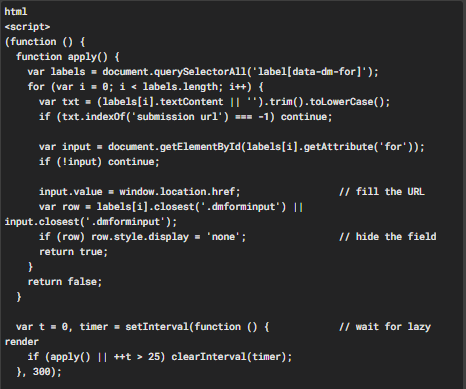
Copy and paste the following script exactly as shown:
<script>
(function () {  function apply() {    var labels = document.querySelectorAll('label[data-dm-for]');    for (var i = 0; i < labels.length; i++) {      var txt = (labels[i].textContent || '').trim().toLowerCase();      if (txt.indexOf('submission url') === -1) continue;       var input = document.getElementById(labels[i].getAttribute('for'));      if (!input) continue;       input.value = window.location.href;                 // fill the URL      var row = labels[i].closest('.dmforminput') || input.closest('.dmforminput');      if (row) row.style.display = 'none';                // hide the field      return true;    }    return false;  }   var t = 0, timer = setInterval(function () {            // wait for lazy render    if (apply() || ++t > 25) clearInterval(timer);  }, 300);   document.addEventListener('submit', apply, true);        // refill before send
})();
</script>
Note: If you name the field something other than
Submission URL, update'submission url'in the script to match your exact label in lowercase.
Step 3: Publish Your Site
Click Republish. Code changes and scripts will not run until the site is live.
Step 4: Verify the Setup
Open the live, published page in an Incognito/Private window to bypass cached assets.
Verify that the
Submission URLfield is completely hidden on the form.Submit a test entry and inspect the email notification or the Content → Submission log in your dashboard.
The
Submission URLentry should output the full page URL, including any campaign parameters (e.g.,[https://www.yoursite.com/employers?utm_source=google](https://www.yoursite.com/employers?utm_source=google)).
Important Notes
Captured Data: This script records the protocol, domain, path, and full query string (all UTM and ad parameters).
Current Page vs. Referrer: This records the page the form is actively on. If you also want to capture the referring website URL, create a second field and populate it using
document.referrerin JavaScript.Live Site Testing: Always test on the published URL. This script intentionally does not run inside the site editor or preview mode.
Was this article helpful?
That’s Great!
Thank you for your feedback
Sorry! We couldn't be helpful
Thank you for your feedback
Feedback sent
We appreciate your effort and will try to fix the article