Hover Animations for Sections, Columns, and More
We’re happy to announce a new series of hover animations we’ve added to Editor 2.0 to help you better engage site visitors with interactive visual movements for sections, columns, inner columns, and advanced grids.
Plus, we've got another little (but important) update we think you'll love: the ability to duplicate a section. Scroll down to read more.
Animations & effects options right from the design panel
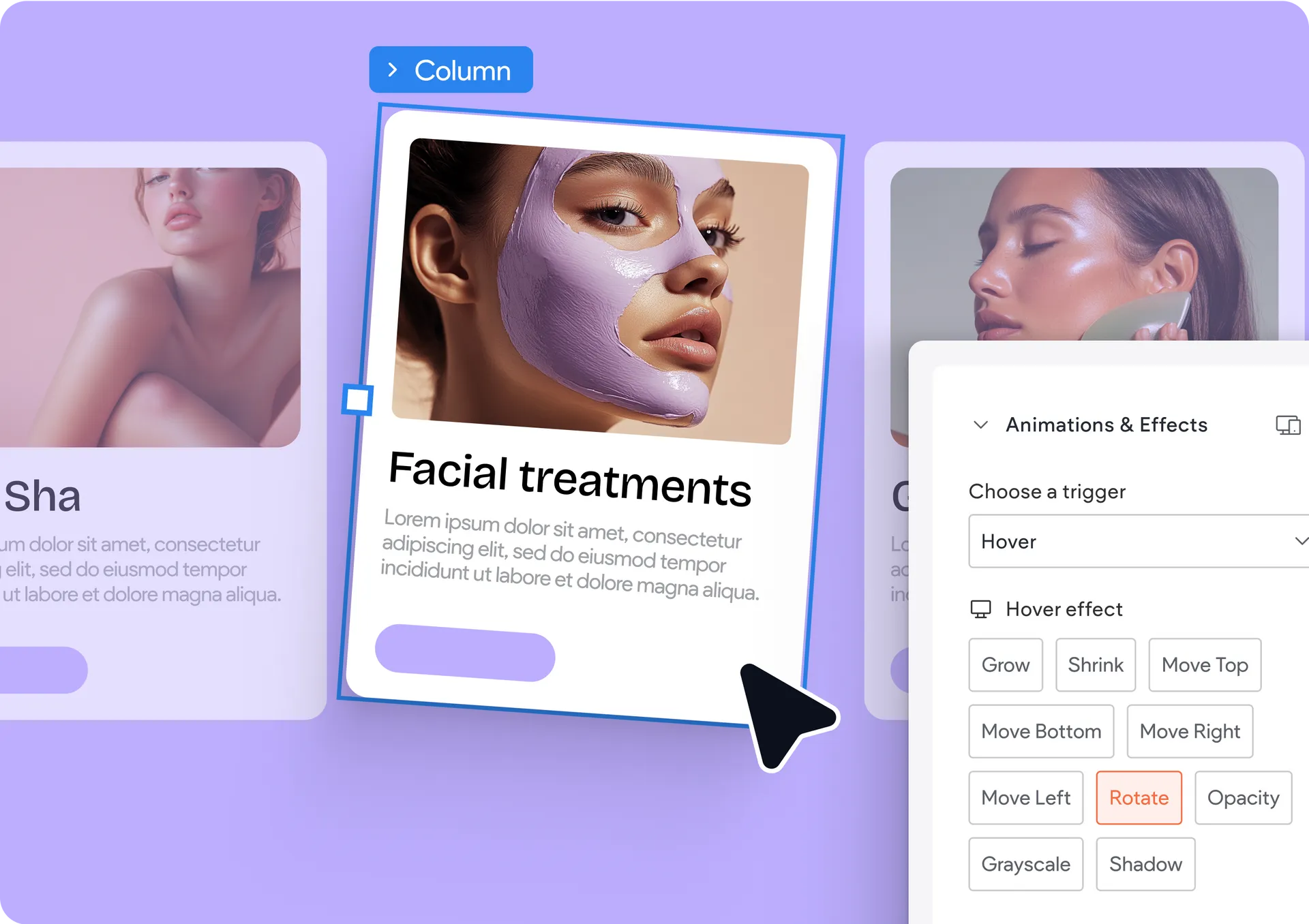
This new update is in addition to the available animation effects that already exist in some of the widgets in the editor. Now, when selecting one of the containers—like a section, a column, an inner column, or an advanced grid—you’ll see a dedicated Animations & Effects drawer in your design panel for that selected element. There you can choose between the triggers: entrance, scroll, and hover.

The hover animation for containers is what we want to highlight today, as it offers lots of different animations on desktop, including:
Shrink
Grow
Rotate
Move top
Move bottom
Apply opacity
Change to greyscale
And others…
What about hover animations in site widgets? These still exist as they have until now—you’re welcome to add animations to widgets using each widget’s dedicated design panel, including the Photo Gallery, images, buttons, and many others.
Bonus update: You can duplicate sections!
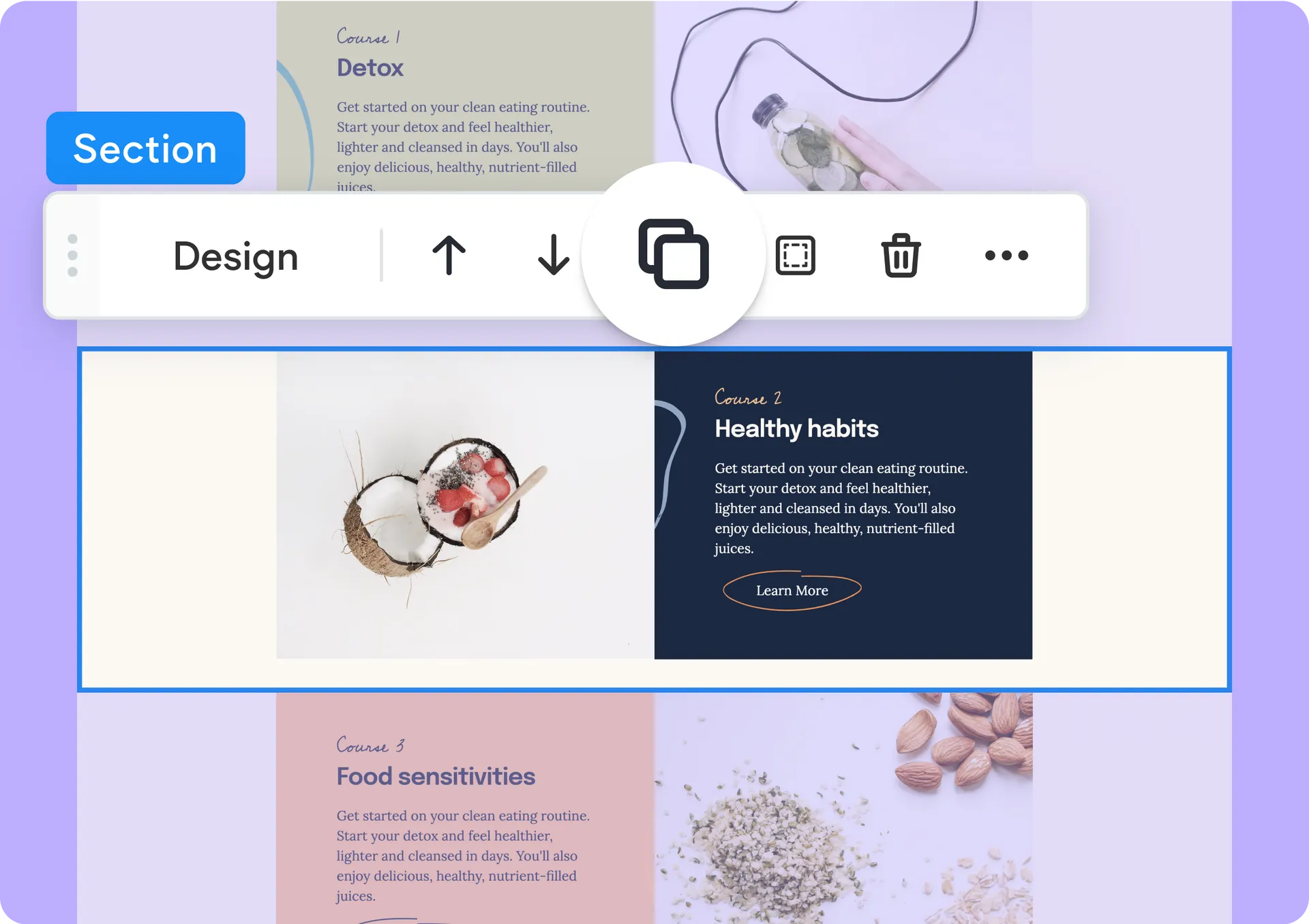
That's right. We added the ability to duplicate an entire section on the canvas with a single click on the section's toolbar on the canvas. This will surely help to speed things up for you as you design and build your sites.
Enjoy this new update and go on to build great sites!
Was this article helpful?
That’s Great!
Thank you for your feedback
Sorry! We couldn't be helpful
Thank you for your feedback
Feedback sent
We appreciate your effort and will try to fix the article