Have Multiple Layouts in One Blog, Plus More Updates
We've rolled out some new blog features in Editor 2.0 that give you more control over how your content looks and works. Here's what's new:
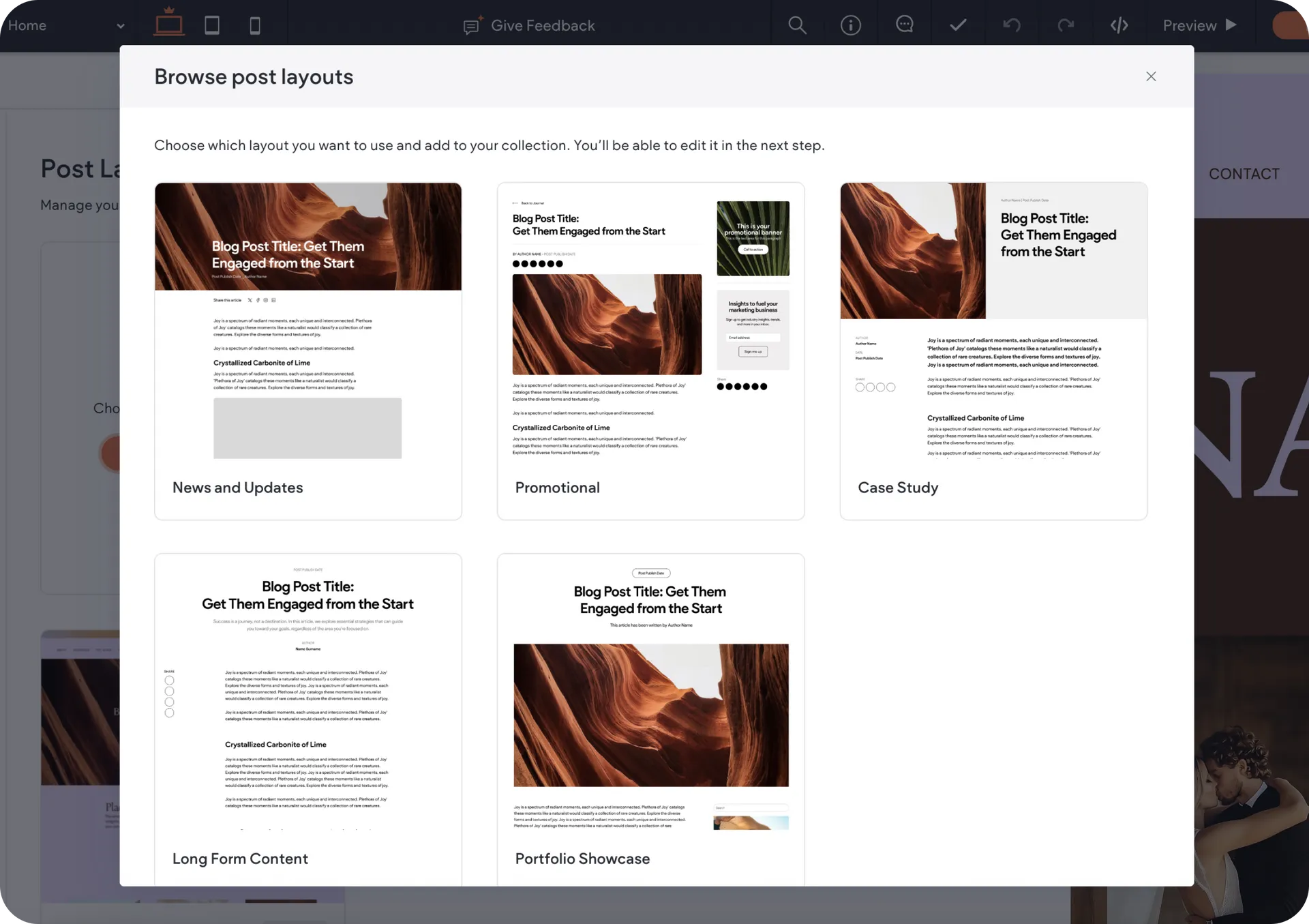
Use multiple post layouts within the same blog
Now you can use different layouts for different types of content within the same blog. Whether it's news updates, case studies, SEO articles, or portfolio pieces - each post can have its own perfect design.
With the new Post Layouts, you can add any layout you want, customize it, and save. Then go to any post's settings and pick a layout from the layout dropdown.
This update gives you extra flexibility and customization power:
Use readable layouts for long SEO articles
Pick visual layouts for portfolios and galleries
Choose clean formats for company news
No more juggling separate blogs for different content types. Find it under Blog → Post Layouts.
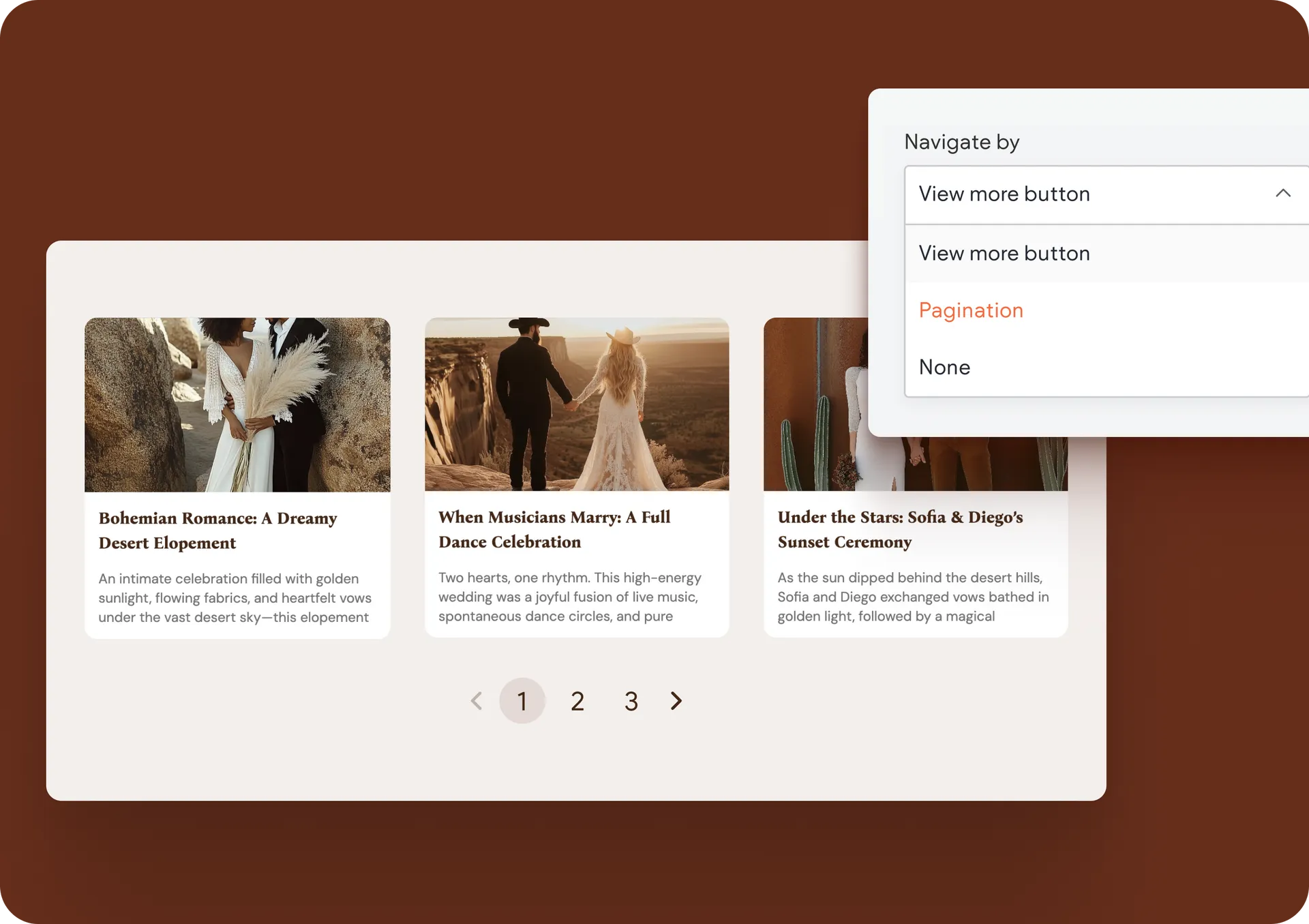
Better pagination controls in the All Posts widget
The All Posts widget now lets you choose how visitors see more content:
Show More button
Pagination with custom controls
Not show any additional posts
This gives you lots of control over how the blog posts appear on your sites and greatly improves the user experience of your site visitors.
Link to the exact paragraph you want with blog anchors
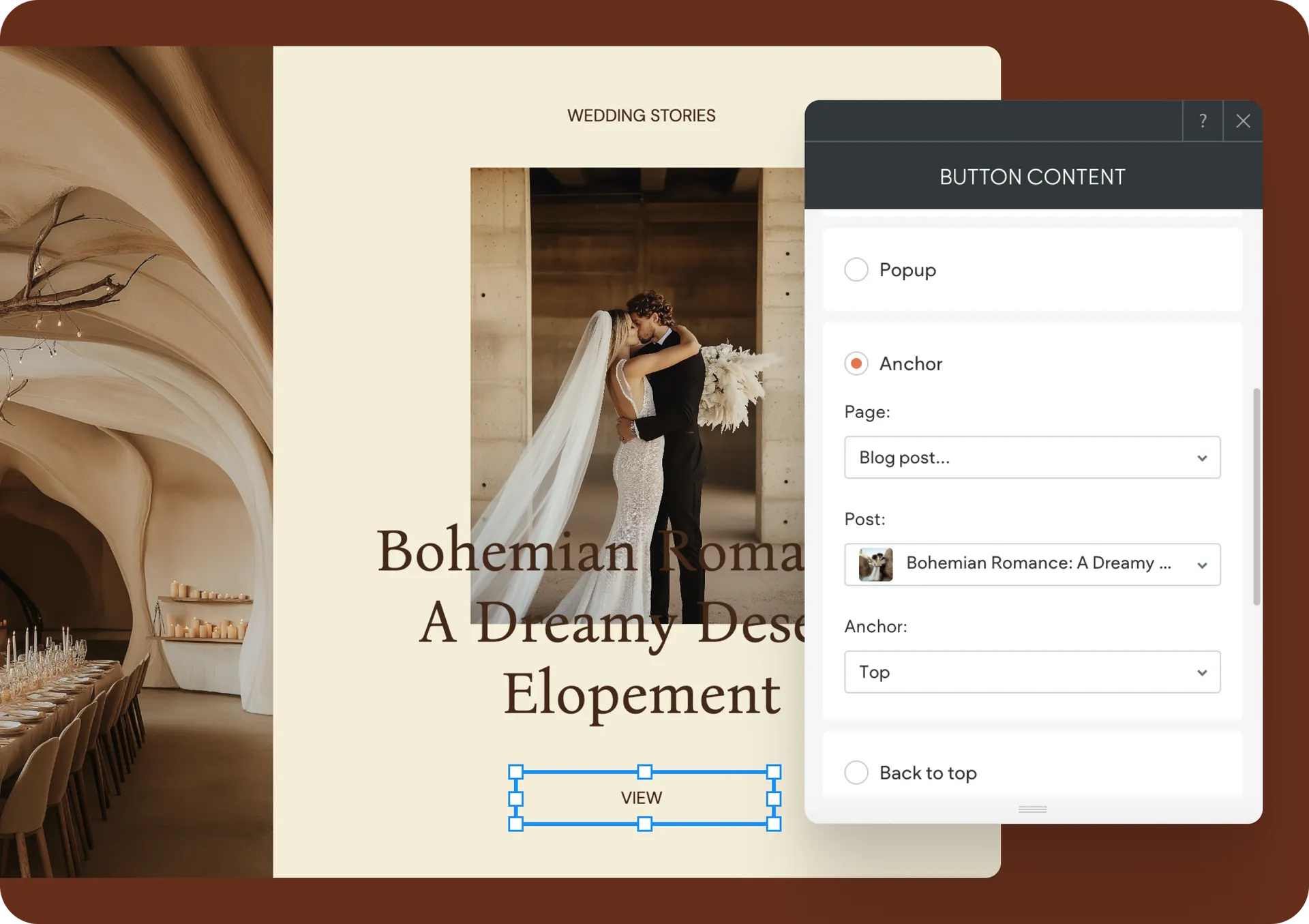
You can now link any element directly to anchors within blog posts.
To do this, go to any link picker → Anchor → Page and scroll down until you see the new Blog post option. Pick your post and anchor from the dropdown menus, or link to the top or bottom of posts by default.
Note: Media Slider and Accordion widgets don't support this yet.
We hope you make the most of these new blog updates, and enjoy the additional blog content customization power they give you and your clients.
Was this article helpful?
That’s Great!
Thank you for your feedback
Sorry! We couldn't be helpful
Thank you for your feedback
Feedback sent
We appreciate your effort and will try to fix the article